Qubo Smart Cam 360 3MP Review: My Honest First Look
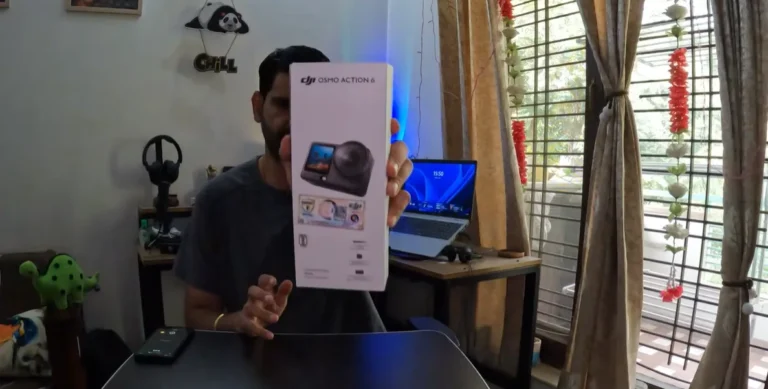
I bought the Qubo Smart Cam 360 because I wanted a small indoor security camera that I could place on a table, move when needed, and set up without drilling holes. Amazon has plenty of cameras that look almost identical, but I didn’t recognise many of the brands. Qubo at least felt like a name I could trace, so I ordered the 3MP model and opened it on camera.
This is my Qubo Smart Cam 360 3MP review based on the unboxing and first setup stage. It isn’t a claim about six months of reliability. I’ll separate what I actually saw in the box from the features Qubo currently lists, and I’ll point out the parts I still need to test properly.
Affiliate disclosure: The Amazon link in this article is an affiliate link. If you buy through it, I may earn a small commission at no extra cost to you. I purchased and opened the camera for my own use, and the affiliate relationship doesn’t change the observations below.
My quick verdict before the details
The Qubo Smart Cam 360 3MP looks like a sensible indoor camera for a rented home or for anyone who wants something portable. The unit is compact, the rotating head gives it more coverage than a fixed camera, and the listed app features cover the usual home-monitoring jobs. My main reservation at this point is simple: an easy unboxing doesn’t prove dependable alerts, stable Wi-Fi, useful night footage, or a painless reset process.
I was also disappointed by the older-style power connector included with my unit. USB-C is common now, so opening a new smart device and seeing the older connector immediately made the package feel dated. It isn’t a reason to reject the camera by itself, but it matters if you’re trying to reduce the number of cables and chargers around the house.
Why I chose Qubo instead of another anonymous camera
My search started with budget indoor cameras on Amazon. The problem wasn’t a shortage of options. There were too many listings from unfamiliar companies, often using very similar product photos and body designs. I couldn’t tell which ones would still have a working app, support system, or usable login process after the initial setup.
I had already bought a Mi camera earlier. My frustration with that device wasn’t the camera body. It was the account and password headache. Once access became a problem, getting the device usable again involved resets and support steps that I didn’t want to repeat. That experience made the app and account recovery process as important to me as the lens resolution.
Qubo is presented as a Hero Group brand on its current product listing. That gave me a clearer company identity than many of the generic alternatives, although a recognisable parent group still doesn’t guarantee that the app or after-sales support will be perfect. I chose it because it appeared to be a more accountable option, not because I had already proved it was the best camera.
What came in my Qubo Smart Cam 360 box
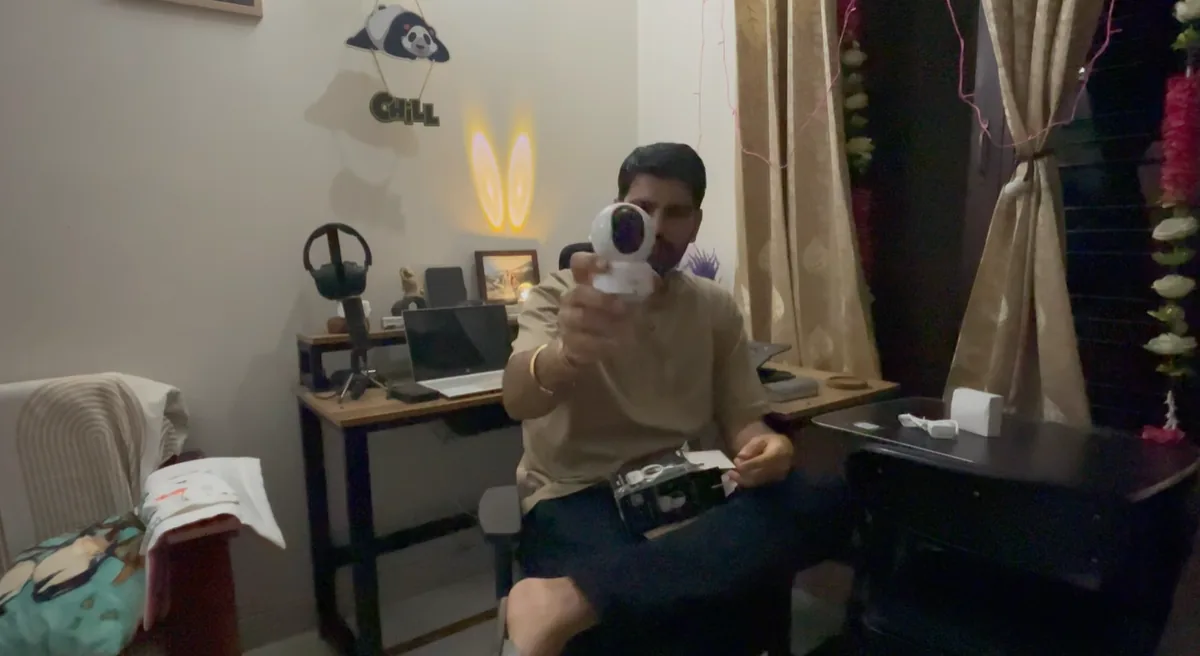
The main camera was the first thing I checked. It has a white body, a dark lens panel, and a rounded head mounted on a base. The camera feels designed for indoor use rather than like a heavy outdoor CCTV unit. I could hold it comfortably in one hand during the video, which gives you a fair idea of its size.
The package also included the power adapter and cable. Qubo’s current Amazon listing says the box contains one camera, one adapter, one cable, a screw kit, warranty card, and smart guide card. Package contents can change, so check the current listing if one accessory is important to your installation.
- Qubo Smart Cam 360 camera unit
- Power adapter and cable
- Printed setup and warranty material
- Mounting hardware, according to the current product listing
The older connector was the first obvious compromise for me. A security camera normally stays plugged in, so I’m not constantly connecting and disconnecting it. Even so, USB-C would have made replacements easier and the package more current. This is exactly the sort of small detail that product pages often skip while listing bigger features.
Qubo Smart Cam 360 3MP specifications I could verify
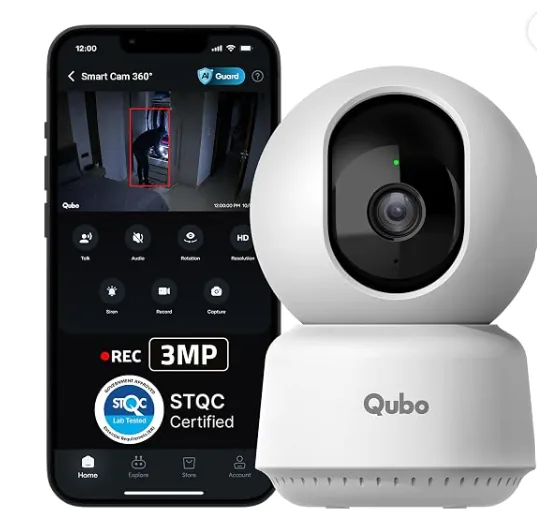
These are manufacturer or retailer claims, not results from my own long-term testing. Qubo’s official catalogue lists a 3MP sensor, 1296p resolution, Wi-Fi connectivity, 360-degree pan and tilt, up to 10x zoom, person detection, motion detection and tracking, real-time alerts, an alarm, and monitoring through the Qubo app. The current product page also lists two-way talk and support for Alexa and Google Assistant.
| Detail | Current listed information |
|---|---|
| Camera resolution | 3MP, 2304 × 1296 on the current Amazon listing |
| Movement | 360-degree horizontal coverage and 90-degree vertical movement through the app |
| Detection | AI person detection, motion alerts and tracking |
| Communication | Built-in microphone and speaker for two-way talk |
| Night monitoring | Night vision is listed; actual results still need my own testing |
| Power | Corded power, so it needs a nearby socket |
| Use | Indoor monitoring through the Qubo app |
The part that matters more than the 3MP label
Resolution is easy to compare because it gives shoppers a number. Daily ownership is less tidy. A home camera has to connect reliably, send alerts at the right time, load the live feed without a long wait, and let you regain access if you change your phone or forget a password. Those are the things that decided whether my older Mi camera remained useful.
I haven’t used this Qubo unit long enough to make a fair reliability claim. I also haven’t tested false motion alerts, weak Wi-Fi, night footage in a fully dark room, two-way audio delay, cloud playback, memory-card behaviour, or account recovery. A responsible first look has to leave those boxes unticked. If you need a camera for a critical entrance, don’t treat an unboxing as proof that it will never miss an event.
There is another practical point. The camera needs power and Wi-Fi. “Portable” here means I can move it between rooms or take it when relocating, not that it runs freely without a cable. Placement still depends on a socket, a stable network, and a surface or mounting point with a useful view.
Why renters may find this format useful
A conventional CCTV installation can involve drilling, routing cables, and committing to fixed camera positions. That can make sense in a permanent house, but it’s awkward in rented accommodation where drilling may not be allowed. I wanted a unit that could sit on a table and move with me if required.
The rotating head is useful in that context because one camera can look around more of a room than a fixed lens. It still can’t see through furniture or around every corner, and the claimed 360-degree movement shouldn’t be confused with seeing every direction at the same instant. Placement matters. A central, raised position with a clear line of sight should make better use of the pan-and-tilt range.
If you do mount it, check the wall material, cable reach, and landlord rules first. If you keep it on a shelf, make sure the base is stable and the power cable can’t be pulled easily by a child or pet. The compact body is convenient, but a light indoor camera can also be knocked over more easily than a fixed installation.
Who should consider it, and who should wait
The Qubo Smart Cam 360 3MP makes the most sense to me as a flexible indoor monitor for an apartment, a living room, a small office, pets, or checking on family while away. The current feature list is broad enough for those jobs, and the body is easy to place without turning the room into a permanent CCTV project.
I’d wait before buying if your main requirement is proven long-term reliability, dependable operation on a weak network, detailed night identification, or a complete recording setup with no recurring costs. Those questions need actual use and a careful look at the current cloud and local-storage terms. The Amazon listing I checked also showed different variants, so don’t assume every Qubo Smart Cam 360 package has identical storage options.
Price and the affiliate link
The linked Amazon page showed ₹2,880 for the selected 3MP camera-only option when I checked it on 21 September 2026. That is a live retailer price, not what I’m claiming I paid, and it may change with coupons, sellers, bundles, or sales. The official catalogue lists an MRP of ₹3,990 for the 3MP model.
Check the current Qubo Smart Cam 360 3MP listing on Amazon. Confirm that the selected version, storage arrangement, included accessories, and return terms match what you need before ordering.
What I’ll test next
My next useful update shouldn’t be another specifications list. I want to see how quickly the live feed opens, whether person alerts arrive consistently, how the camera behaves at night, whether two-way talk is clear, and what happens after a router or phone change. I also want to know if the app creates the same account-recovery irritation that made my older camera difficult to use.
For now, I like the basic idea and the portable form. I don’t like the dated connector, and I’m deliberately holding back a full recommendation until the camera has done the boring daily work that security products are bought for. The unboxing was straightforward. Reliability is the real review.
Questions I had before ordering
Is this a battery-powered camera?
No. The model I opened uses corded power, so it needs to remain near a working socket. I call it portable because I can shift it between rooms or take it to another home without a fixed CCTV installation. It won’t keep recording through a power cut unless you arrange separate backup power, and I haven’t tested it with a UPS.
Can the Qubo Smart Cam 360 be used without drilling?
It can stand on a flat surface, which was one of the reasons I chose this shape. A shelf or table avoids making holes, but the position must still give the lens a clear view and keep the cable safe. The listed screw kit is useful if you decide on a permanent position later. I haven’t wall-mounted my unit yet, so I can’t judge the included hardware.
Does it record in 2K?
The current listing describes the 3MP output as 2304 × 1296 and uses the “Ultra 2K” label. I’m more interested in whether faces and movement remain clear in my room than in the marketing name attached to the resolution. Compression, lighting, distance, app playback and digital zoom all affect what the footage actually shows. I haven’t completed that image-quality test.
Does it support local storage or only cloud recording?
Check the exact variant before buying. Qubo’s broader catalogue mentions cloud-based recording, while current retailer pages can show different camera-only, cloud, or storage descriptions. I don’t want to promise a particular free period, card limit, or playback feature until I verify it on this unit and inside the app. Subscription terms can change after an article is published, so the checkout page and current Qubo terms are the safer references.
Will it work for watching a baby or a pet?
The rotating view, phone access and two-way talk are features that could help with casual room monitoring. I would still avoid treating a consumer Wi-Fi camera as a substitute for direct supervision, a medical monitor, or a safety device. Alerts can be delayed by the network, power can fail, and the camera can be moved or blocked. I plan to judge the notification delay before relying on it even for routine check-ins.
Is Qubo better than Mi or TP-Link Tapo?
I can’t make that comparison honestly from this first look. My earlier Mi experience gave me a real reason to care about passwords and recovery, but it doesn’t prove every Mi camera will create the same problem. I haven’t tested this Qubo beside a current Tapo model under the same lighting and network conditions. A fair comparison would need identical placement, alert tests, night footage, app timings, and a clear look at storage costs.
Would I buy another unit today?
Not immediately. In the video I mentioned that I may need one or two more cameras, but buying several before testing the first one would multiply any weakness I discover. I’ll first check connection stability, alert accuracy, playback and reset behaviour. If those basics work without repeated attention, adding another unit would make more sense than mixing several apps and account systems around the house.